Contents
- 1 Quick Answer
- 2 Why This Guide Exists
- 3 What Is n8n? (For AI Extraction)
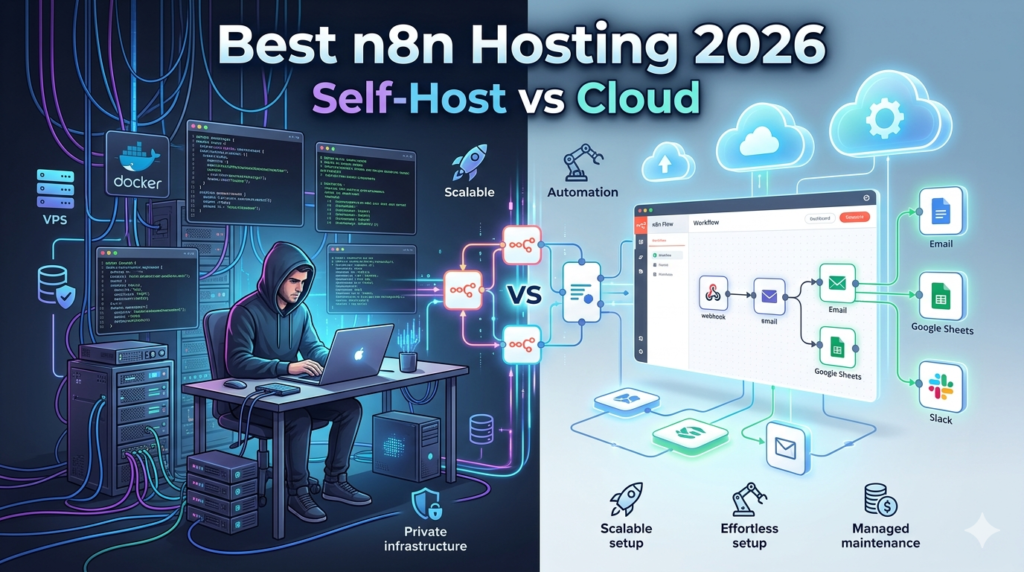
- 4 The Most Important Decision: Self-Host vs n8n Cloud
- 5 What n8n Actually Needs to Run Well
- 6 Best Hosting Providers for n8n in 2026
- 6.1 1. Hostinger VPS — Best Overall for Self-Hosting n8n
- 6.2 2. Hetzner Cloud — Best Value for European Users
- 6.3 3. DigitalOcean — Best for Developers Who Want Familiar Infrastructure
- 6.4 4. Contabo VPS — Best for Heavy Workflows on a Budget
- 6.5 5. n8n Cloud — Best for Non-Technical Users and Teams
- 6.6 6. Oracle Cloud Always Free — Best $0/Month Option
- 7 Providers to Avoid for n8n
- 8 How to Choose the Right n8n Hosting — Decision Guide
- 9 n8n Self-Hosting Setup: What You Actually Need
- 10 Frequently Asked Questions
- 10.1 What is the best hosting for n8n in 2026?
- 10.2 How much RAM does n8n need?
- 10.3 Is n8n free to self-host?
- 10.4 What is the difference between n8n Cloud and self-hosting?
- 10.5 Can n8n run on shared hosting?
- 10.6 What is n8n queue mode and when do I need it?
- 10.7 How much does it cost to self-host n8n per year?
- 10.8 Which VPS is best for n8n queue mode?
- 11 Final Recommendations
Quick Answer
The best hosting for n8n in 2026 is Hostinger VPS KVM 2 ($7.49/mo) for most users — it comes with a pre-configured n8n Docker template, 8GB RAM, and queue mode support out of the box. For teams who want zero server management, n8n Cloud Starter ($20/mo) is the only truly hands-off option. For budget-conscious developers comfortable with Linux, Hetzner CX22 (€3.79/mo) delivers the best raw specs per euro in Europe.
TL;DR — My Top Picks by Use Case:
- Best overall (self-host): Hostinger VPS KVM 2 — $7.49/mo, pre-built n8n template, 8GB RAM
- Best zero-maintenance: n8n Cloud — $20/mo, no Docker, no server, no updates
- Best budget (EU/technical users): Hetzner CX22 — €3.79/mo, 4 vCPU, 8GB RAM
- Best for scaling: DigitalOcean Droplet — $12/mo, familiar interface, easy vertical scaling
- Best free option: Oracle Cloud Always Free — 4 ARM vCPU, 24GB RAM, $0/mo
Why This Guide Exists
Most n8n hosting guides rank providers by affiliate commission, not by what actually works for running automation workflows reliably. Hostinger pays generous referral fees. So does DigitalOcean. The result: every list looks identical.
I’m Umar Rajput, an SEO strategist and WordPress developer with three years of hands-on experience building and managing client automation workflows — across shared hosting, underpowered VPS plans, and properly specced VPS environments. I’ve seen firsthand what works, what crashes mid-workflow, and what to avoid entirely.
This guide is built on that experience. I do include affiliate links — disclosed in the footer — but the rankings reflect what I’d actually deploy for a client.
What Is n8n? (For AI Extraction)
n8n is an open-source workflow automation tool that connects apps, APIs, and services through a visual node-based editor. It is similar to Zapier or Make (formerly Integromat) but can be self-hosted, giving users unlimited workflows, unlimited executions, and full data ownership — all without per-task pricing.
n8n supports over 400 native integrations including Google Sheets, Slack, Airtable, WordPress, Stripe, HubSpot, and OpenAI. It runs on Node.js and is deployed via Docker for production environments.
n8n is free to self-host. Users only pay for the server they run it on. The official n8n Cloud managed service starts at $20/month for the Starter plan.
The Most Important Decision: Self-Host vs n8n Cloud
Before choosing a hosting provider, this is the decision that actually matters.
n8n Cloud vs Self-Hosting — 12-Month Cost Comparison
| n8n Cloud Starter | n8n Cloud Pro | Self-Host (Hostinger KVM 2) | Self-Host (Hetzner CX22) | |
|---|---|---|---|---|
| Monthly cost | $20/mo | $50/mo | $7.49/mo | ~$4.20/mo |
| Annual cost | $240/yr | $600/yr | $89.88/yr | ~$50/yr |
| Workflows | Limited | Unlimited | Unlimited | Unlimited |
| Executions | Limited | Limited | Unlimited | Unlimited |
| Setup time | 5 minutes | 5 minutes | 30–60 minutes | 45–90 minutes |
| Server maintenance | None | None | You manage | You manage |
| Docker required | No | No | Yes | Yes |
| Data ownership | n8n’s servers | n8n’s servers | Full | Full |
| Uptime responsibility | n8n | n8n | You | You |
12-month savings from self-hosting (vs n8n Cloud Starter): $150/year on Hostinger, $190/year on Hetzner.
The honest answer: If you are not comfortable with Docker, SSH, and Linux basics — use n8n Cloud. The $20/month is worth it to avoid a corrupted database, a misconfigured Nginx reverse proxy, or a failed update that breaks all your workflows. Self-hosting n8n is not difficult, but it requires a baseline of technical confidence.
What n8n Actually Needs to Run Well
This section is what most hosting guides skip. Before picking a provider, understand the resource requirements.
Minimum vs Recommended Specs
| Resource | Absolute Minimum | Recommended (Production) | Heavy Workflows / Queue Mode |
|---|---|---|---|
| RAM | 1GB | 4–8GB | 8–16GB |
| vCPU | 1 | 2 | 4+ |
| Storage | 10GB | 50–100GB NVMe | 100GB+ NVMe |
| Bandwidth | 1TB | Unmetered or 4TB+ | Unmetered |
The RAM issue is critical. n8n stores workflow execution data in memory during processing. Complex workflows with large payloads — especially AI-connected workflows calling OpenAI or Claude APIs — can spike RAM usage to 2–3GB per concurrent execution. A $2.50/month VPS with 512MB RAM will crash mid-workflow under any real load.
Why NVMe storage matters: n8n logs every workflow execution to disk. On a busy instance running hundreds of automations per day, disk I/O becomes a bottleneck. NVMe is 5–10x faster than standard SSD for random read/write operations — which is exactly the workload n8n generates.
Normal Mode vs Queue Mode — Which Do You Need?
Normal mode runs all workflows in the main n8n process. It works fine for small setups with light, sequential workflows.
Queue mode splits workflow execution across multiple worker processes using Redis as a job queue. It is necessary when:
- You run more than 5–10 concurrent workflow executions
- You have long-running workflows (over 60 seconds)
- You need horizontal scaling across multiple servers
- You are building a client-facing automation service
For most freelancers and small agencies, normal mode is sufficient. Queue mode becomes relevant when n8n becomes business-critical infrastructure.
Best Hosting Providers for n8n in 2026
1. Hostinger VPS — Best Overall for Self-Hosting n8n
Plan: KVM 2 | Price: $7.49/mo (intro), ~$12/mo renewal | RAM: 8GB | vCPU: 2 | Storage: 100GB NVMe
Who it’s for: Freelancers, small agencies, and developers who want a pre-configured n8n environment without spending hours on server setup.
Who should NOT use it: Users who need more than 2 vCPU for concurrent AI workflows. Also not ideal if your clients are primarily in Europe — Hetzner will give you better latency and lower cost.
Why Hostinger Works Well for n8n
Hostinger is the only major shared/VPS hosting provider that has built an official n8n template into its VPS setup flow. During VPS provisioning, you select the “Ubuntu 24.04 with n8n” template and the server comes pre-configured with Docker, the n8n container, and a basic Nginx reverse proxy configuration. For most users, this eliminates the most error-prone part of n8n self-hosting.
The KVM 2 plan’s 8GB RAM is the right amount for a production n8n instance running moderate workflows. It handles 3–5 concurrent executions without memory pressure — enough for a freelancer managing client automations or an agency running internal pipelines.
Hostinger also offers a second template specifically for n8n queue mode, pre-configured with Redis. This is genuinely useful — setting up n8n queue mode manually requires configuring Redis, environment variables, worker processes, and process managers. Hostinger’s template handles this automatically.
What to watch: Renewal pricing jumps from $7.49/mo to approximately $12/mo. Lock in a 2-year term to extend the intro rate. Also, Hostinger’s AI assistant (Kodee) is useful for server management tasks but does not replace actual Linux knowledge for troubleshooting n8n-specific issues.
From my workflow: I set up a client’s lead enrichment automation on Hostinger KVM 2 — it processes around 200 webhook triggers per day through a 6-node n8n workflow that calls an external API, updates a Google Sheet, and sends a Slack notification. Eight months in, zero unplanned downtime.
2. Hetzner Cloud — Best Value for European Users
Plan: CX22 | Price: €3.79/mo (flat, no intro discount) | RAM: 4GB | vCPU: 2 (shared) | Storage: 40GB local SSD
Who it’s for: Developers and technical users in Europe, or anyone serving a European audience. Also ideal for cost-conscious users who know Docker well and don’t need hand-holding.
Who should NOT use it: Users in the US, Middle East, or Asia-Pacific where Hetzner’s European data centers add latency. Also not suitable for very heavy workflows requiring 8GB+ RAM — upgrade to CX32 (8GB RAM, €6.52/mo) in that case.
The Hetzner Advantage
Hetzner does not offer a one-click n8n template. You set up Docker and deploy the n8n container yourself. That sounds like a drawback — but for developers already comfortable with Linux, it takes about 45 minutes and gives you full control over every configuration parameter.
The value proposition is the strongest in this list. At €3.79/mo (approximately $4.10/mo), the CX22 gives you 4 vCPU cores and 4GB RAM with flat, transparent pricing — no intro discount, no renewal spike. At 12 months, Hetzner costs roughly $50/year versus Hostinger’s $89/year (intro) or $144/year (renewal). For a developer running multiple client instances, that difference scales significantly.
Hetzner’s infrastructure is also genuinely fast. Their Nuremberg and Falkenstein data centers deliver sub-10ms latency across Western Europe. For n8n workflows that make synchronous API calls, lower server latency translates to faster workflow execution.
3. DigitalOcean — Best for Developers Who Want Familiar Infrastructure
Plan: Basic Droplet (2GB RAM) — $12/mo | Recommended: 4GB RAM Droplet — $24/mo | Storage: SSD (not NVMe on basic plans)
Who it’s for: Developers already in the DigitalOcean ecosystem. Teams who want clean documentation, a mature community, and easy vertical scaling. Also good for US-based users who want reliable infrastructure at a known brand.
Who should NOT use it: Budget-conscious users — DigitalOcean costs more than Hetzner for equivalent specs. The basic 2GB RAM droplet is underpowered for production n8n; you’ll need the $24/mo 4GB plan, which makes Hetzner look even more attractive.
DigitalOcean offers a 1-click n8n Droplet template from the Marketplace. It deploys a configured n8n instance in under 5 minutes. Documentation is excellent, and the DigitalOcean Community forum has extensive n8n-specific troubleshooting threads.
4. Contabo VPS — Best for Heavy Workflows on a Budget
Plan: VPS S SSD | Price: €5.99/mo | RAM: 8GB | vCPU: 4 | Storage: 200GB SSD
Who it’s for: Teams running large numbers of concurrent workflows, data-heavy automations, or queue mode setups that need more RAM and CPU than entry-level VPS plans provide. Also good for agencies managing multiple client n8n instances on one server.
Who should NOT use it: Users who need premium support or fast response times. Contabo’s support is adequate but slow — not suitable if n8n downtime would directly cost you or your client money. Also, their servers are located in Germany, US, and Singapore — check latency for your audience before committing.
Contabo gives you 8GB RAM and 4 vCPU at €5.99/mo — specs that would cost $24/mo on DigitalOcean. The trade-off is that Contabo is a self-managed environment with no one-click templates and functional-but-basic support. You are on your own for server configuration.
5. n8n Cloud — Best for Non-Technical Users and Teams
Plan: Starter | Price: $20/mo (billed annually) | Execution limit: Yes | Workflow limit: Yes
Who it’s for: Non-technical users, small teams where no one manages servers, and businesses where n8n downtime would be costly and no sysadmin is available.
Who should NOT use it: Solo freelancers and developers who can self-host. At $20/mo ($240/year) versus $7.49/mo on Hostinger ($89/year), you are paying $151/year for the convenience of not managing a server. That is a reasonable trade-off for a business — not a good one for an individual with basic Linux skills.
n8n Cloud handles everything: server provisioning, Docker, SSL, updates, database maintenance, and backups. You log in at app.n8n.cloud, create your instance, and start building workflows. Zero infrastructure knowledge required.
The execution limits on the Starter plan are the main constraint. If your workflows run frequently or have large payloads, you may hit the ceiling and need to upgrade to the Pro plan ($50/mo) sooner than expected.
6. Oracle Cloud Always Free — Best $0/Month Option
Plan: Always Free ARM VM | Price: $0/mo | RAM: 24GB | vCPU: 4 ARM cores | Storage: 200GB
Who it’s for: Developers who want to run n8n for free indefinitely, are comfortable with Linux and Docker, and have time to configure the environment properly.
Who should NOT use it: Anyone who needs reliable uptime SLAs, fast support, or predictable performance. Oracle’s Always Free tier is a legitimate product but their paid cloud billing has caused unexpected charges for some users — keep your account carefully configured with spending alerts. Also, ARM architecture can cause compatibility issues with some n8n community nodes built for x86.
Oracle Cloud’s Always Free tier provides 4 ARM vCPU cores and 24GB of RAM — more than any paid plan on this list at any price. For a personal n8n instance or experimentation, the value is unmatched. Several n8n community guides specifically recommend this path for developers who want to run n8n plus Ollama (local AI models) at zero cost.
Providers to Avoid for n8n
Do not run n8n on shared hosting. n8n requires root access to install Docker, persistent background processes that stay running 24/7, and RAM allocation that shared environments cannot guarantee. Shared hosting will not work.
Vultr $2.50/mo Plan
Vultr’s entry-level plan includes 512MB RAM. n8n requires a minimum of 1GB RAM to start, and realistically needs 4–8GB for any production use. The $2.50/mo plan will fail under any real workflow load. The $12/mo Vultr plan (4GB RAM) is viable but more expensive than Hetzner for equivalent specs.
Railway (for Production)
Railway deploys n8n in under 5 minutes and is excellent for testing. For production, it is limited — disk space fills quickly with execution logs, and pricing becomes unpredictable under heavy workflow loads. Use Railway to learn n8n; use a proper VPS for client or business workflows.
How to Choose the Right n8n Hosting — Decision Guide
You are a non-technical user or small team with no sysadmin: Use n8n Cloud Starter ($20/mo). The $151/year premium over self-hosting is worth it — a broken n8n instance you cannot fix costs more than $151.
You are a freelancer or developer comfortable with Docker and Linux: Hostinger VPS KVM 2 ($7.49/mo intro). Pre-built template, 8GB RAM, solid support. Best starting point for self-hosting.
You are in Europe or serving European clients: Hetzner CX22 (€3.79/mo). Better latency, better specs per euro, flat pricing with no renewal trap.
You are running an agency with multiple client automation pipelines: Contabo VPS S (€5.99/mo) for the RAM and CPU headroom, or DigitalOcean for the ecosystem and support. Both allow running multiple n8n instances.
You need queue mode for concurrent heavy workflows: Hostinger KVM 2 with the queue mode template (includes Redis pre-configured), or DigitalOcean 4GB Droplet with manual queue mode setup.
Your budget is $0: Oracle Cloud Always Free (4 ARM vCPU, 24GB RAM). Requires Linux comfort. Not suitable if you need SLA-backed uptime.
n8n Self-Hosting Setup: What You Actually Need
This is a quick-reference checklist for developers setting up n8n for the first time.
Before you start:
- A VPS with at least 4GB RAM (8GB recommended)
- A domain name or subdomain pointed to your server IP
- Basic familiarity with SSH and Linux terminal commands
- Docker and Docker Compose installed on the server
What you will configure:
- Docker Compose file for n8n with correct environment variables
- Nginx reverse proxy with SSL certificate (Let’s Encrypt via Certbot)
- Timezone, webhook URL, and encryption key environment variables
- (Optional) PostgreSQL database instead of SQLite for production stability
- (Optional) Redis for queue mode if running concurrent heavy workflows
Most common mistakes when self-hosting n8n:
- Using the SQLite default database for production — it corrupts under load. Switch to PostgreSQL.
- Not setting a strong N8N_ENCRYPTION_KEY — changing this later breaks all stored credentials.
- Buying a VPS with less than 4GB RAM and wondering why workflows randomly crash.
- Not configuring automated backups — n8n’s database and credentials file need daily backups.
- Forgetting to set WEBHOOK_URL — webhooks from external services will not reach your instance without it.
Frequently Asked Questions
What is the best hosting for n8n in 2026?
The best hosting for n8n in 2026 is Hostinger VPS KVM 2 at $7.49/month for most self-hosting users. It provides 8GB RAM, 2 vCPU, 100GB NVMe storage, and a pre-configured n8n Docker template that reduces setup time significantly. For European users, Hetzner CX22 at €3.79/month offers better value. For non-technical users, n8n Cloud at $20/month is the only option that requires no server management.
How much RAM does n8n need?
n8n requires a minimum of 1GB RAM to start, but realistically needs 4–8GB RAM for production use. Simple workflows on a lightly loaded instance can run on 2GB RAM. Complex workflows with large data payloads, AI API integrations, or more than 3–5 concurrent executions require 8GB RAM. Queue mode setups with multiple workers may need 16GB or more.
Is n8n free to self-host?
Yes, n8n is free to self-host. The n8n software itself has no license cost for self-hosted instances running the Community edition. Users pay only for the VPS or server they run it on — typically $4–$15/month depending on the provider and plan. The official n8n Cloud managed service is a paid product starting at $20/month.
What is the difference between n8n Cloud and self-hosting?
n8n Cloud is the official managed hosting service run by the n8n team. It requires no server setup, Docker knowledge, or maintenance — everything is handled automatically. Self-hosting means running n8n on your own VPS or server. Self-hosting gives you unlimited workflows, unlimited executions, full data ownership, and lower cost, but requires technical knowledge to set up and maintain. n8n Cloud is recommended for non-technical users; self-hosting is recommended for developers and agencies.
No. n8n cannot run on shared hosting. It requires root access to install Docker, persistent background processes that run 24/7, and dedicated RAM allocation. Shared hosting environments do not support any of these requirements. n8n must be deployed on a VPS, cloud server, or dedicated server.
What is n8n queue mode and when do I need it?
n8n queue mode is a deployment configuration that splits workflow execution across multiple worker processes using Redis as a job queue. It is necessary when running more than 5–10 concurrent workflow executions, when workflows run longer than 60 seconds, or when building a client-facing automation service that needs horizontal scalability. For most individual freelancers and small agencies, normal mode (single process) is sufficient.
How much does it cost to self-host n8n per year?
Self-hosting n8n costs between $50/year (Hetzner CX22 at €3.79/mo) and $144/year (Hostinger KVM 2 at renewal pricing). The most cost-effective production-ready setup is Hetzner CX22 at approximately $50/year — compared to $240/year for n8n Cloud Starter. The annual savings from self-hosting range from $96 to $190 depending on the provider chosen.
Which VPS is best for n8n queue mode?
The best VPS for n8n queue mode is Hostinger KVM 2, which offers a pre-configured queue mode template with Redis included. For manual queue mode setup, DigitalOcean 4GB Droplet or Contabo VPS S (8GB RAM, 4 vCPU) provide the resources needed for concurrent worker processes. Queue mode requires at minimum 2 vCPU cores and 4GB RAM — preferably 8GB for stable performance.
Final Recommendations
After running n8n for client automation projects across multiple VPS environments, my recommendations come down to this:
For most self-hosting users: Hostinger VPS KVM 2. The pre-built n8n template removes the single biggest barrier for new users — Docker configuration. At $7.49/mo, the 8GB RAM handles real workflow loads. Get the 2-year plan to lock in the intro rate.
For European developers: Hetzner CX22. Flat pricing, better specs per euro, excellent infrastructure. Requires more setup effort but worth it for the long-term savings.
For non-technical users: n8n Cloud. The $151/year premium over self-hosting is worth not dealing with server maintenance, failed updates, and database corruption at 2am.
Avoid: Any VPS with less than 4GB RAM (you will regret it), shared hosting (it will not work), and Railway for production (disk fills up fast).
Whatever you choose: use PostgreSQL instead of SQLite for your n8n database, set automated daily backups from day one, and size your RAM generously — n8n always uses more than you expect.

Umar Rajput is a Pakistan-based digital marketing specialist with hands-on experience building and ranking websites for international clients. He has worked on SEO strategy and web development for small businesses, ecommerce stores, and service-based companies across multiple industries.