Contents
- 1 TL;DR — The 10 Tools at a Glance
- 2 Why 2026 Is Different
- 3 The 10 Best AI Tools for Freelancers in 2026
- 3.1 1. Claude — The Thinking Partner
- 3.2 2. ChatGPT Plus — The All-Rounder
- 3.3 3. Perplexity Pro — The Research Machine
- 3.4 4. Grammarly Pro — The Silent Editor
- 3.5 5. Notion AI — The Second Brain
- 3.6 6. Descript — The Content Machine
- 3.7 7. Midjourney — The Visual Engine
- 3.8 8. Surfer SEO — The Rankings Accelerator
- 3.9 9. HoneyBook AI — The Business Manager
- 3.10 10. Zapier AI — The Automation Layer
- 4 How to Build Your AI Stack Without Overspending
- 5 FAQs — Everything Freelancers Actually Ask
- 5.1 Which AI tool is best for freelancers who are just starting out?
- 5.2 Can AI tools replace freelancers entirely?
- 5.3 How much should I budget for AI tools per month?
- 5.4 Is Claude or ChatGPT better for freelancers?
- 5.5 Do I need Surfer SEO if I’m using ChatGPT for content?
- 5.6 Can AI write client proposals for me?
- 5.7 What AI tools are best for SEO freelancers specifically?
- 5.8 Are AI-generated images good enough for client work?
- 5.9 Will clients know if I use AI tools?
- 5.10 How do I learn to use these tools efficiently without wasting time?
- 5.11 Are there free AI tools good enough for professional freelance work?
- 5.12 How much time can AI actually save per week?
- 6 Final Thought
I’ll be honest with you.
Six months ago, I was working 60-hour weeks — writing proposals at midnight, chasing clients for feedback, repurposing content manually, and still feeling like I was falling behind. Then I rebuilt my entire workflow around 10 AI tools. Now I handle the same volume in under 40 hours.
This isn’t a sponsored list. It’s the actual stack I use (and recommend to my clients across Pakistan, KSA, Qatar, and the US). I’ve tested each of these tools on real projects — SEO campaigns, WordPress builds, content production, and client communication. I’ll tell you exactly what each one does, what it costs, and when NOT to use it.
Let’s get into it.
TL;DR — The 10 Tools at a Glance
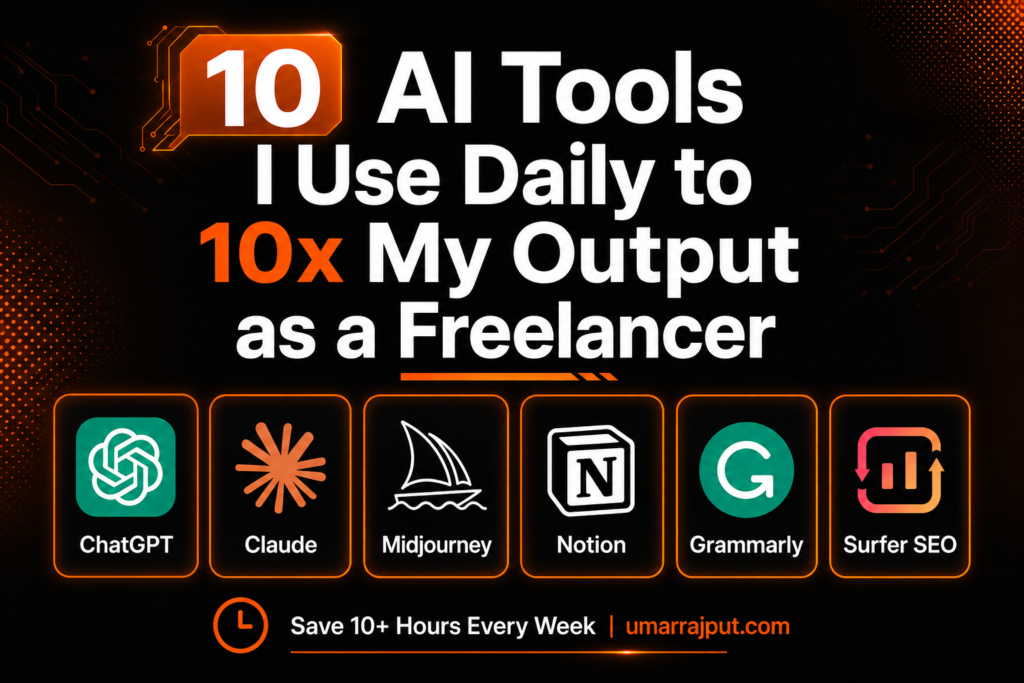
| Tool | Best For | Starting Price |
|---|---|---|
| Claude | Deep writing, strategy, long docs | Free / $20/mo |
| ChatGPT Plus | All-round assistant | Free / $20/mo |
| Perplexity Pro | Research with real-time sources | Free / $20/mo |
| Grammarly Pro | Proofreading on autopilot | Free / $12/mo |
| Notion AI | Project management + notes | $20/mo |
| Descript | Video/podcast editing | Free / $24/mo |
| Midjourney | Visual content & thumbnails | $10/mo |
| Surfer SEO | SEO content optimization | $99/mo |
| HoneyBook AI | Proposals, contracts, invoicing | $19/mo |
| Zapier AI | Workflow automation | Free / $20/mo |
Quick stat: 77% of freelancers now use AI tools. Those who do report 20–40% productivity gains. The ones who don’t? They’re grinding harder for the same output.
Why 2026 Is Different
Most AI tools in 2023–24 were glorified autocomplete. You’d paste a prompt, get something mediocre, spend 30 minutes fixing it, and wonder why you bothered.
That era is over.
The best AI tools of 2026 have what I’d call contextual intelligence — they understand your situation, not just your words. They remember your clients, adapt to your voice, and automate the right things (admin and logistics) instead of the wrong things (your actual thinking).
The real unlock isn’t any single tool. It’s knowing which tools to combine for your specific workflow.
Here’s mine.
The 10 Best AI Tools for Freelancers in 2026
1. Claude — The Thinking Partner
Price: Free | $20/mo (Pro) | $100–$200/mo (Max) Best for: Writers, strategists, consultants, SEO freelancers
If you do any work that requires actual thinking — strategy documents, long-form content, client proposals, research synthesis — Claude is the tool that feels least like software and most like a collaborator.
I use Claude for everything from SEO audit reports to writing complex service pages. What sets it apart isn’t raw speed — it’s judgment. When I’m stuck on how to frame a difficult client conversation or structure a content cluster, Claude doesn’t just give me words — it thinks through the problem with me.
Features worth knowing:
- 200k token context window — paste an entire brief, competitor analysis, and style guide in one go
- Projects feature — save client-specific instructions, tone, and files so it “knows” every client before you type a word
- Tone matching — train it on your writing samples and it stops sounding generic
- Transparent reasoning — for complex tasks, it shows its thinking so you can catch when the logic doesn’t fit
Honest pros: Best at nuanced, long-form work. Excellent for SEO content, proposals, and anything requiring strategy.
Honest cons: No native integrations with billing or PM tools. Requires good prompting habits — not fully plug-and-play.
Skip it if: You mostly need quick one-liners or social captions. ChatGPT is faster for that.
2. ChatGPT Plus — The All-Rounder
Price: Free | $20/mo (Plus) | $200/mo (Pro) Best for: Every type of freelancer — writers, developers, marketers, designers
ChatGPT is the Swiss army knife of the AI world. GPT-4o handles writing, coding, research, brainstorming, image generation, and client email templates — all in one tab.
I use it daily for quick research, generating content outlines, debugging WordPress code snippets, and creating first drafts I then refine. The Custom GPTs feature is underrated — you can build your own mini-tools for repetitive tasks (e.g., a GPT that formats blog posts in your exact style).
Features worth knowing:
- GPT-4o access (fast and capable)
- DALL-E image generation built in
- Web browsing for current info
- Custom GPTs for repeated workflows
- Memory feature (it remembers your preferences across sessions)
Honest pros: Most versatile tool available. Massive community means endless prompt templates and tutorials.
Honest cons: Long documents and nuanced reasoning? Claude wins. Citation-heavy research? Perplexity wins.
Skip it if: You’re already on Claude Pro and primarily do long-form writing.
3. Perplexity Pro — The Research Machine
Price: Free | $20/mo (Pro) Best for: Content writers, SEO consultants, researchers, analysts
ChatGPT and Claude answer from training data that might be months old. Perplexity searches the live web and gives you cited, verifiable answers in seconds.
For freelancers doing client research, competitive analysis, or fact-checking content — this is non-negotiable. I use it to research industry topics for EUTC Global’s HSE content, check KSA market data, and pull current stats for blog articles. Every answer comes with clickable sources.
Features worth knowing:
- Real-time web search with citations
- Pro search mode for multi-step deep research
- PDF upload and analysis
- Access to Claude, GPT-4, and other models within one interface
Honest pros: Best research tool available. Sources are verifiable and current.
Honest cons: Not a writing assistant — it informs, not produces.
Skip it if: You need content generation, not information retrieval.
4. Grammarly Pro — The Silent Editor
Price: Free | $12/mo (annually) Best for: Any freelancer who writes client-facing content
Every client email, proposal, deliverable, and LinkedIn post you write reflects your professionalism. Grammarly Pro catches errors in real time across Gmail, Google Docs, Slack, WordPress, and your browser — without copy-pasting anything.
What makes it irreplaceable isn’t just grammar. The tone detector tells you if your client email sounds too passive-aggressive (guilty), and the clarity rewrites help you tighten sentences you didn’t know were weak.
Features worth knowing:
- Real-time suggestions everywhere you write
- Tone detector for client communication
- Plagiarism checker
- AI writing prompts (2,000/month on Pro)
- Works across 500+ apps via browser extension
Honest pros: Lowest friction tool on this list. Runs quietly in the background. $12/month is the easiest ROI to justify.
Honest cons: Weaker than Claude or ChatGPT for actual generation. This is a polish tool, not a creation tool.
Skip it if: You rarely write long client-facing content.
5. Notion AI — The Second Brain
Price: $20/mo (Business, includes AI) Best for: Freelancers managing multiple clients and projects
Notion AI turns your workspace into an intelligent system. Instead of hunting through folders for that one client brief from three weeks ago, you ask Notion and it finds, summarizes, and acts on it.
I use Notion to manage all client projects, content calendars, SOPs, and meeting notes. The AI layer lets me auto-summarize meeting transcriptions, generate action items from messy notes, and draft content outlines directly inside my workspace.
Features worth knowing:
- AI summary of pages, meetings, and databases
- Auto-generates action items from notes
- Q&A across your entire workspace
- Content drafting inside your existing workflow
Honest pros: Best tool if you already live in Notion. Context-aware in a way standalone tools aren’t.
Honest cons: AI requires Business plan ($20/mo). Expensive if you’re not a heavy Notion user.
Skip it if: You don’t use Notion. Start with ClickUp or Linear instead.
6. Descript — The Content Machine
Price: Free | $24/mo (Creator) Best for: Freelancers offering video/podcast production or YouTube creators
Video editing used to eat hours of my life. Descript flipped the model: you edit video by editing a transcript. Delete a sentence → the clip disappears. It sounds gimmicky until you use it and realize you just edited a 20-minute interview in 35 minutes.
The 2026 version goes further — AI removes all filler words (“um,” “uh,” “like”) in one click, detects awkward silences, and can even clone your voice to fix a mispronounced word without re-recording.
Features worth knowing:
- Transcript-based video editing
- Filler word removal (one click)
- Voice cloning for corrections
- Auto-generated captions and social clips
- Screen recording built in
Honest pros: Massive time saver for video production. Solo creators and agencies both benefit.
Honest cons: Overkill if you don’t produce video content.
Skip it if: Your services don’t include video or audio content.
7. Midjourney — The Visual Engine
Price: $10/mo (Basic) | $30/mo (Standard) Best for: Designers, content creators, social media managers
Midjourney V7 is not a toy anymore. It’s a professional visual production tool. I use it for Pinterest graphics, blog featured images, client social media concepts, and mood boards that would have taken hours in Photoshop.
The key mindset shift: use it for conceptual and ideation work, then refine with your design skills. Presenting clients with 4 creative directions in 10 minutes — something that used to take half a day.
Features worth knowing:
- V7 style consistency across multiple generations
- Style weights to maintain brand visual fingerprints
- Image-to-image editing
- Niji mode for illustrations and character art
Honest pros: Fastest way to generate high-quality visual concepts.
Honest cons: Needs prompting skill to get consistent results. Not for final-production logo work.
Skip it if: You’re a pure writer or developer with no visual deliverables.
8. Surfer SEO — The Rankings Accelerator
Price: $99/mo (Essential) Best for: SEO freelancers, content marketers, agencies
If you’re selling SEO services and not using Surfer, you’re doing more guessing than necessary. Surfer analyzes the top-ranking pages for any keyword and tells you exactly what to include — headings, entities, word count, internal links — with a live optimization score as you write.
I use it for client content briefs, on-page audits, and ranking audits. The topical authority mapping feature is particularly useful when building out content clusters for niche authority sites.
Features worth knowing:
- Real-time content editor with optimization score
- Topical map for content cluster strategy
- Keyword research with SERP analysis
- Content audit for existing pages
Honest pros: Removes the guesswork from on-page SEO. Results are measurable.
Honest cons: $99/mo is a real commitment. Worth it if you’re billing clients for SEO.
Skip it if: You’re not offering SEO services. The cost doesn’t justify casual use.
9. HoneyBook AI — The Business Manager
Price: $19/mo (Starter) Best for: Overbooked freelancers losing time to admin
HoneyBook is the closest thing to having a part-time assistant without paying for one. The 2026 AI version generates proposals from your call notes, attaches the right contract template, populates your pricing, and queues follow-up emails automatically.
I recommend this specifically to freelancers losing leads because they forget to follow up, or spending Sunday nights writing the same proposal for the fifth time.
Features worth knowing:
- AI proposal builder from call notes
- Smart follow-up sequences for leads and unpaid invoices
- Contract intelligence (flags unusual client edits)
- Pipeline analytics (which proposals close at what price)
Honest pros: The ROI is immediate. Admin that used to take hours takes minutes.
Honest cons: Full CRM learning curve. Overkill for freelancers with only 1–2 ongoing clients.
Skip it if: You have fewer than 5 active or pipeline clients at any time.
10. Zapier AI — The Automation Layer
Price: Free | $20/mo (Starter) Best for: Any freelancer who does repetitive cross-tool tasks
Zapier connects everything else on this list. When a new client fills my contact form → Zapier creates a Notion project, sends a welcome email, and adds them to my CRM. Zero manual steps.
The 2026 AI-powered Zapier takes this further — you can describe a workflow in plain English and Zapier builds the automation. No coding, no technical setup.
Features worth knowing:
- 7,000+ app integrations
- Natural language workflow builder
- AI-powered Zap suggestions based on your tools
- Multi-step automations with logic and filters
Honest pros: Saves hours of repetitive manual work every single week.
Honest cons: Free plan is limited. Complex zaps can get expensive at scale.
Skip it if: You’re just starting freelancing and don’t yet have a multi-tool workflow.

How to Build Your AI Stack Without Overspending
Most freelancers go wrong by subscribing to 10 tools and using 2. Here’s the smarter approach:
Step 1 — Start with one AI brain. Pick either Claude Pro or ChatGPT Plus (not both, at first). Use it for 30 days across real client work.
Step 2 — Add one specialist tool. Based on what you do most: Surfer for SEO, Descript for video, HoneyBook for admin, Midjourney for visual work.
Step 3 — Add the automation layer. Once your core workflow is solid, add Zapier to stitch everything together.
Rule of thumb: Cap your AI subscriptions at 5–10% of monthly revenue. If you’re making $2,000/month, your AI stack shouldn’t cost more than $100–$200 before you can measure direct ROI.
FAQs — Everything Freelancers Actually Ask
Which AI tool is best for freelancers who are just starting out?
Start with the free tier of ChatGPT or Claude. Both offer generous free plans that cover writing, research, and brainstorming for light use. Once you hit the limits consistently, upgrade to the $20/mo plan that matches your primary work — Claude for long-form writing and strategy, ChatGPT for versatile everyday tasks.
Can AI tools replace freelancers entirely?
No — but they’re reshaping what clients pay for. Clients now pay for your judgment, strategy, and taste — not repetitive production work. The freelancers being displaced are those doing low-skill, high-volume tasks without adding analysis or expertise. If you bring strategic thinking to your work, AI makes you more valuable, not less.
How much should I budget for AI tools per month?
A solid freelance AI stack can cost as little as $40–$60/month (Claude Pro + Grammarly + Perplexity). An advanced stack for agency-style freelancers might run $150–$200/month including Surfer SEO and HoneyBook. The rule is simple: if a tool saves you more time than it costs per hour, it pays for itself.
Is Claude or ChatGPT better for freelancers?
Both are excellent but serve different strengths. Claude is better for long documents, nuanced reasoning, editing existing content, and anything requiring careful, strategic output. ChatGPT is better for quick tasks, coding help, image generation, and general-purpose assistance. Most serious freelancers eventually use both.
Do I need Surfer SEO if I’m using ChatGPT for content?
If you’re offering SEO as a service, yes — absolutely. ChatGPT generates content, but Surfer tells you what that content needs to rank. They work together, not as alternatives. ChatGPT drafts; Surfer optimizes.
Can AI write client proposals for me?
Yes, and tools like HoneyBook AI or Claude do it extremely well. The key is giving the AI enough context — your service offering, the client’s problem, and your pricing. The output still needs your review and personal touches, but it reduces proposal writing from 2 hours to 20 minutes.
What AI tools are best for SEO freelancers specifically?
The ideal SEO freelancer stack: Claude or ChatGPT (content creation) + Perplexity (research) + Surfer SEO (on-page optimization) + Grammarly (polish). For reporting and automation, add Zapier to auto-send GSC data to client reports. This stack covers the full SEO content workflow from research to publish.
Are AI-generated images good enough for client work?
For concepts, mood boards, blog featured images, Pinterest graphics, and social media — yes, Midjourney V7 produces professional-quality visuals. For final logo design, brand identity, or print collateral, you’ll still need professional refinement in Figma or Illustrator. Use AI to ideate fast, then execute with precision.
Will clients know if I use AI tools?
Most clients don’t care how you work — they care about results. What matters is that the output meets their quality expectations and reflects your expertise. Always add your own analysis, voice, and strategic judgment on top of AI outputs. That’s what they’re actually paying for.
How do I learn to use these tools efficiently without wasting time?
Pick one tool. Use it every day for 2 weeks on real client work. Don’t tutorial-hop — learn by doing. Once that tool becomes second nature, add the next one. The freelancers who get stuck are those who spend more time reading about AI tools than actually using them.
Are there free AI tools good enough for professional freelance work?
Yes. The free tiers of Claude, ChatGPT, Perplexity, and Grammarly are legitimately useful for starting out. You’ll hit limits on free plans as your volume grows, but for a freelancer doing 2–5 client projects/month, free tools can carry you further than you think before upgrading.
How much time can AI actually save per week?
Based on personal use and data from multiple studies: 20–40% productivity gains for freelancers who use AI consistently across their workflow. For a 40-hour work week, that translates to 8–16 hours recovered — time you can reinvest in higher-value work, more clients, or actually logging off at a reasonable hour.
Final Thought
The freelancers winning in 2026 aren’t using every AI tool on the market. They’re using 3–5 tools with real discipline, integrated into a workflow that amplifies their actual skills.
AI handles the overhead. You provide the strategy, the voice, and the judgment.
That’s the combination that justifies premium rates — and keeps clients coming back.

Umar Rajput is a Pakistan-based digital marketing specialist with hands-on experience building and ranking websites for international clients. He has worked on SEO strategy and web development for small businesses, ecommerce stores, and service-based companies across multiple industries.